¶ Downloading and setting-up Ansys
IMPORTANT : This tutorial should be followed only after following the instructions on this page .
This tutorial is a complement of the official EPFL tutorial found here .
¶ Getting the setup files
Once you have obtained your license, the following link is given to you :
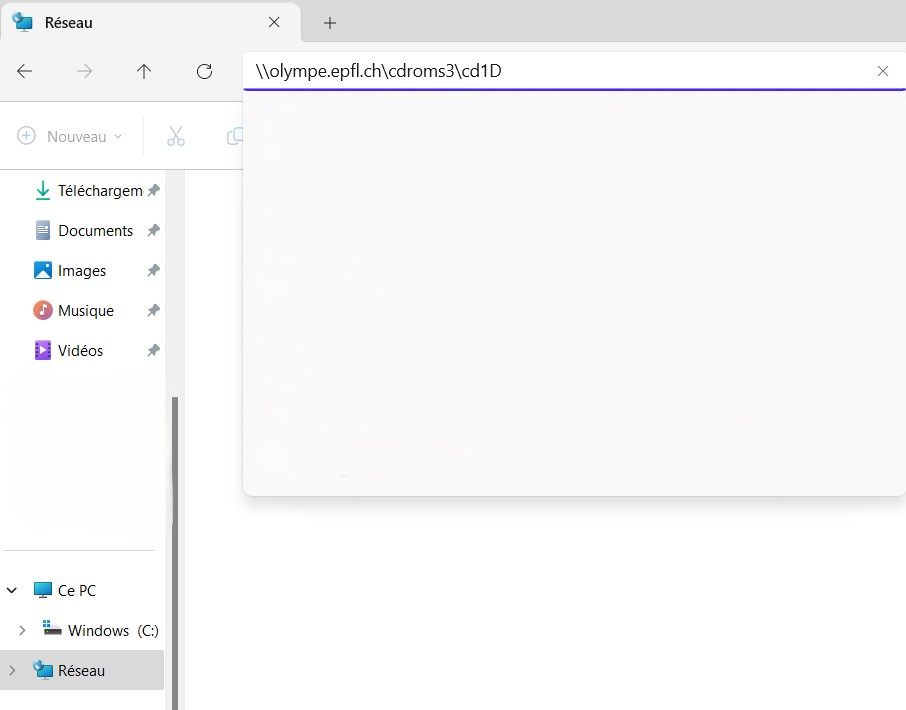
\olympe.epfl.ch\cdroms3\cd1D (Windows)
smb://olympe.epfl.ch/cdroms3/cd1D (Linux)
Copy and paste it into the network search bar of your file app (as shown on the picture).
An authentification page should open and request your username and password. The username should be written as follow :
INTRANET\username
With username being your gaspar username and the password should be your gaspard password.
Once logged in, the list of Ansys softwares should be available as seen on the following image :
Select the version you're interested in and copy/paste onto your own desktop. Once you've done this, you open the version you've copied and “mount” the 3 .iso files.
In the first one, run the file called setup.exe and follow the instructions given by the software.