¶ Thrust Control User Guide
¶ General
- What happens if I plug in the board ?
A .txt file is created on the SD card (if parameter of transmition on SD) that can be imported in Excel (his format is in Software section). He is named like "Thrust_Control_XXXXXX.txt.
Once the board is powered up, it starts moving the servos directly into the right place. If no other board is connected to the HugoBoard, it will close the valves
If an error occurs the error led will be on. Let's note that the nucleo have 3 leds and the error LED is LD3 (a green led, at bottom right).
¶ Using the system
¶ 1. Plug everything in
What do you need
- Computer with VS Code
- Visual Code with ssh plug-in
- Wifi (for now "Iphone de Hugo")
¶ 2. What do you want to do ?
... 🚧
¶ 2.1 Open Visual Studio Code
- And go to the SSH computer logo -> Remotes -> SSH -> raspberrypi.local
- And click on the arrow
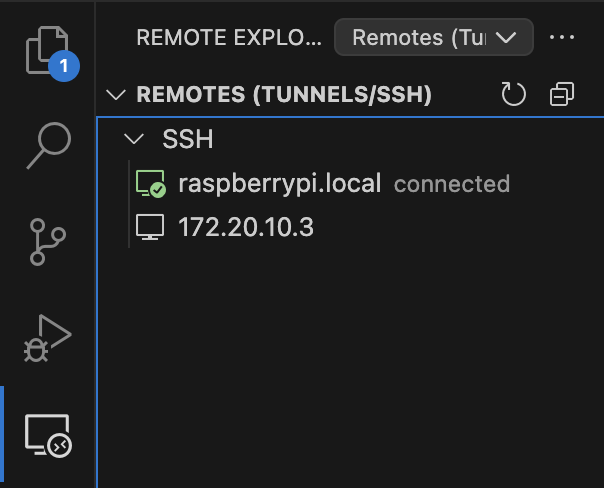
Then click on Open...
¶ 2.2 Finding the code file
- And go to this file : /home/pi/Hugo_Board_main_code.py
Don't change the code unless you know what you do and you're authorized to
¶ 2.3 Open Terminal on VS code
- Click on View -> Terminal
¶ 2.4 Run the code
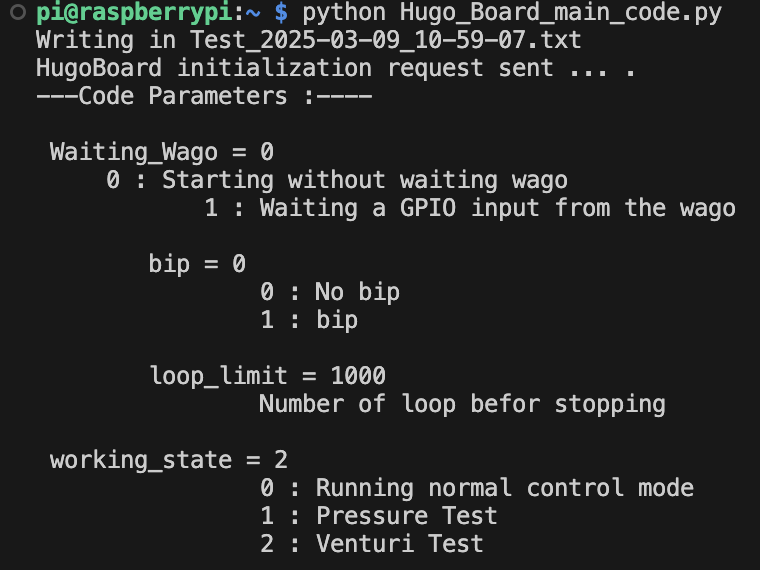
Type that in the terminal : python Hugo_Board_main_code.py as this :

¶ 1. Find out which file is yours
- Namely that the files are named like this: Test_year-month-day-hour.txt
- It is also indicated each time you run the code, on first line :
¶ 2. Get access to it
- Go back to the
raspberrypi.localwindows - Click on
Open...then you will have the list of all the file created
¶ Raspberry Pi
-Usefull function for Raspberry
Connect to the raspberry :
ssh pi@Raspi_IP_address
Get Raspi_IP_address :
Goes into HugoBoard code depository :
cd /home/pi/Documents/Codes
Run the code :
python Hugo_Board_main_code.py
Find your data (it will return the file list):
ls
Get access to your data:
cat "$(ls -Art *.txt | tail -n 1)"
Delete all Test-...-.txt file :
rm Test*.txt
Save the python script on your desktop (Must be write on a second terminal, while the first is connected to the Raspi) :
scp pi@IP_address:~/Documents/Codes/Hugo_Board_main_code.py ~/Desktop/
Don't unplug the system before turning off the system :
Shutdown the raspberry :
sudo shutdown -h now
¶ CubeIDE
You can comment out lignes with "cmd + t"
A delay is made with "HAL_Delay(x)" with x in milliseconds
- How to use this software ?
To debug, you can use "myprintf(...)" ase a print command, who will return
through UART2, who is the microUSB port of the nucleo STM32.
On mac, I use "SerialTools" who can read what's my computer get back.
You can change parameters, they are on the main.c file.
You can restart the system with the button at bottom of the nucleo.
⚠️ a new file will be created on the SD card.